🌎 Cloud & Telecom solutions in 60+ countries — Access My Account →

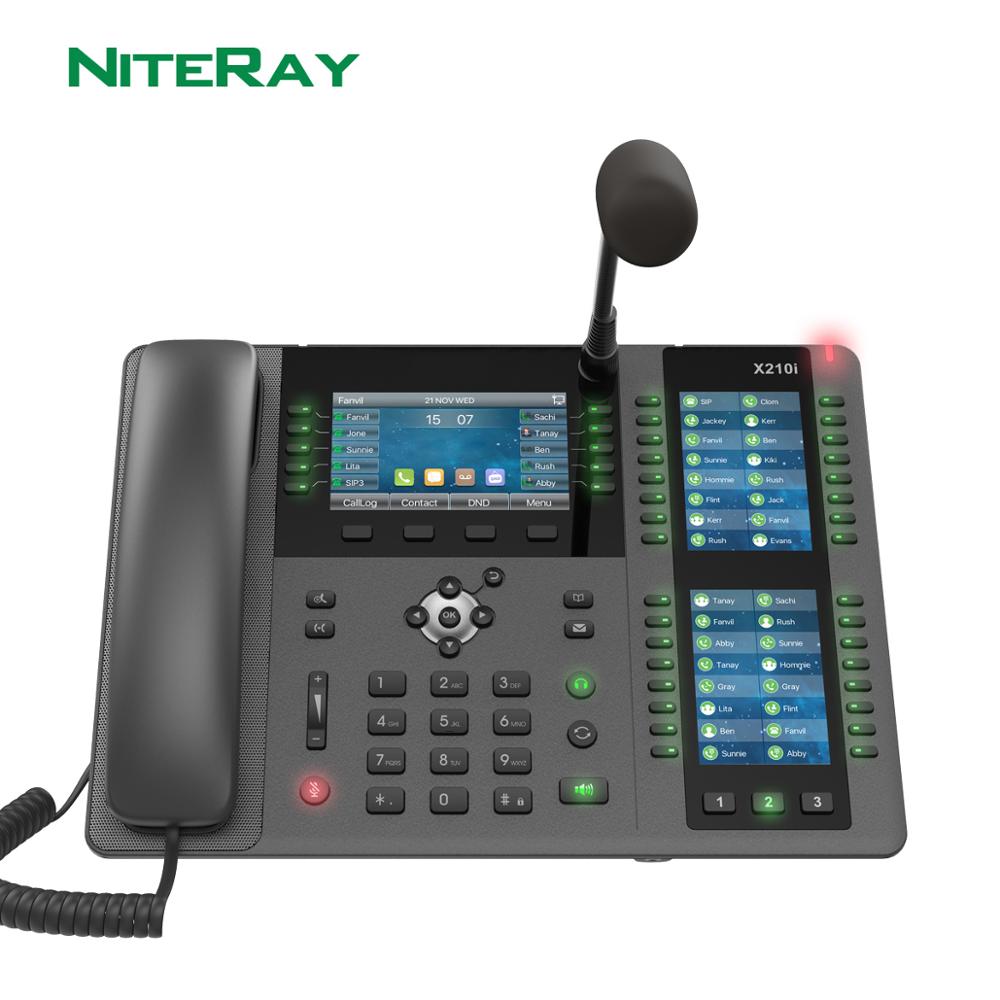
X210i—Display console, telephone with two side screens supporting up to 106 DSS keys

Sale!

X210i—Display console, telephone with two side screens supporting up to 106 DSS keys

Original price was: $780.00.Current price is: $554.00.

SKU: 1005001856194022 Categories: IP Equipment, IP Phones, VoIP

Description

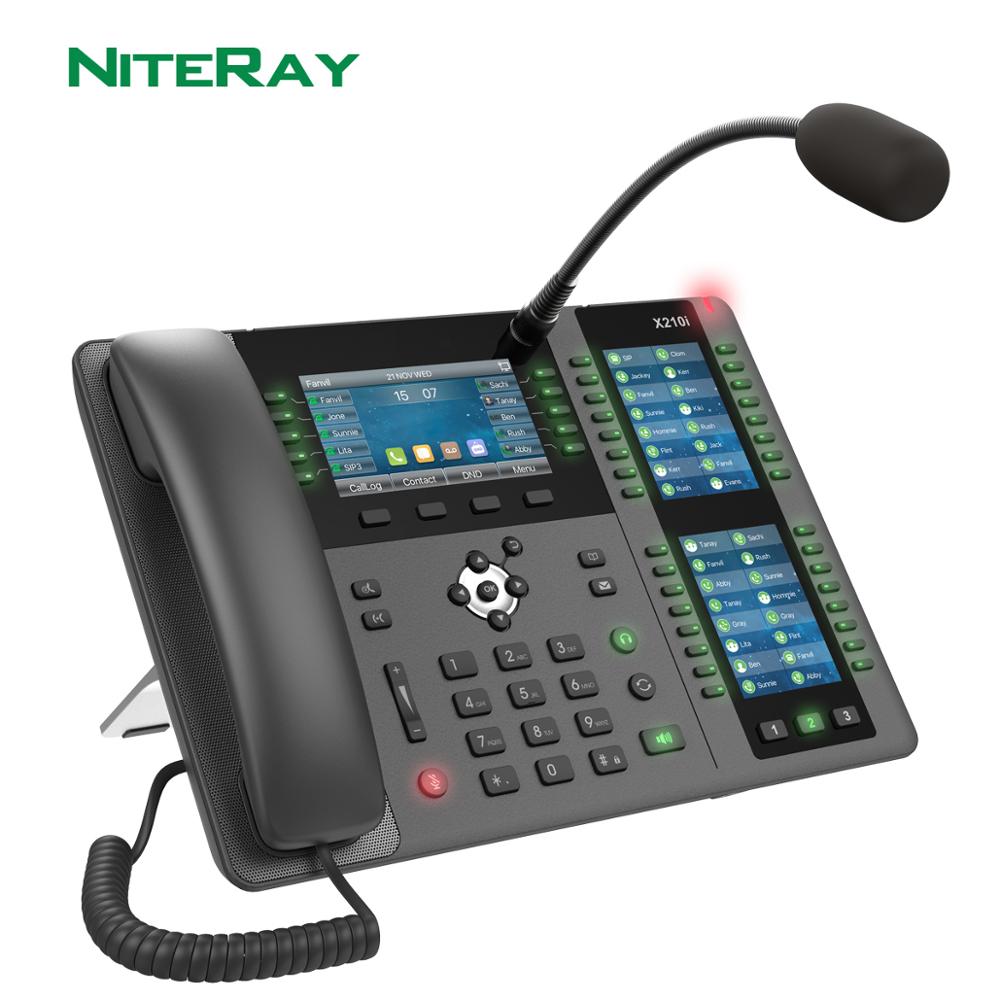
X210i Display Paging Console Phone
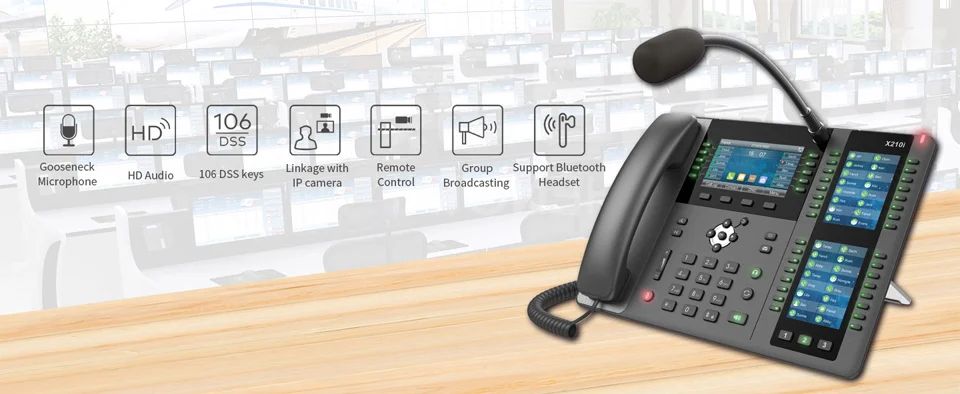
The X210i is a display-based paging console phone designed for industrial customers. It is equipped with a gooseneck microphone and supports HD hands-free calls. With smart programmable DSS buttons, you can set up a one-click call function to improve communication efficiency. It supports the standard SIP protocol and can be used as a monitoring center or office administrator host with features such as dialing external and internal phones, two-way intercom, monitoring, and broadcasting. The X210i improves management efficiency and emergency response capabilities.
Highlights
  • 20 SIP lines, 3-way conferencing, access point
  • HD Audio on Speaker and Headset
  • External directional microphone with a gooseneck
  • 4.3" main color display, 2×3.5" side color displays for DSS keys
  • Built-in Bluetooth
  • Wi-Fi Connectivity (via Wi-Fi dongle)
  • Up to 106 DSS keys (42 physical three-color keys)
  • H.264 video codec support for receiving video calls
  • Two Gigabit ports, built-in PoE
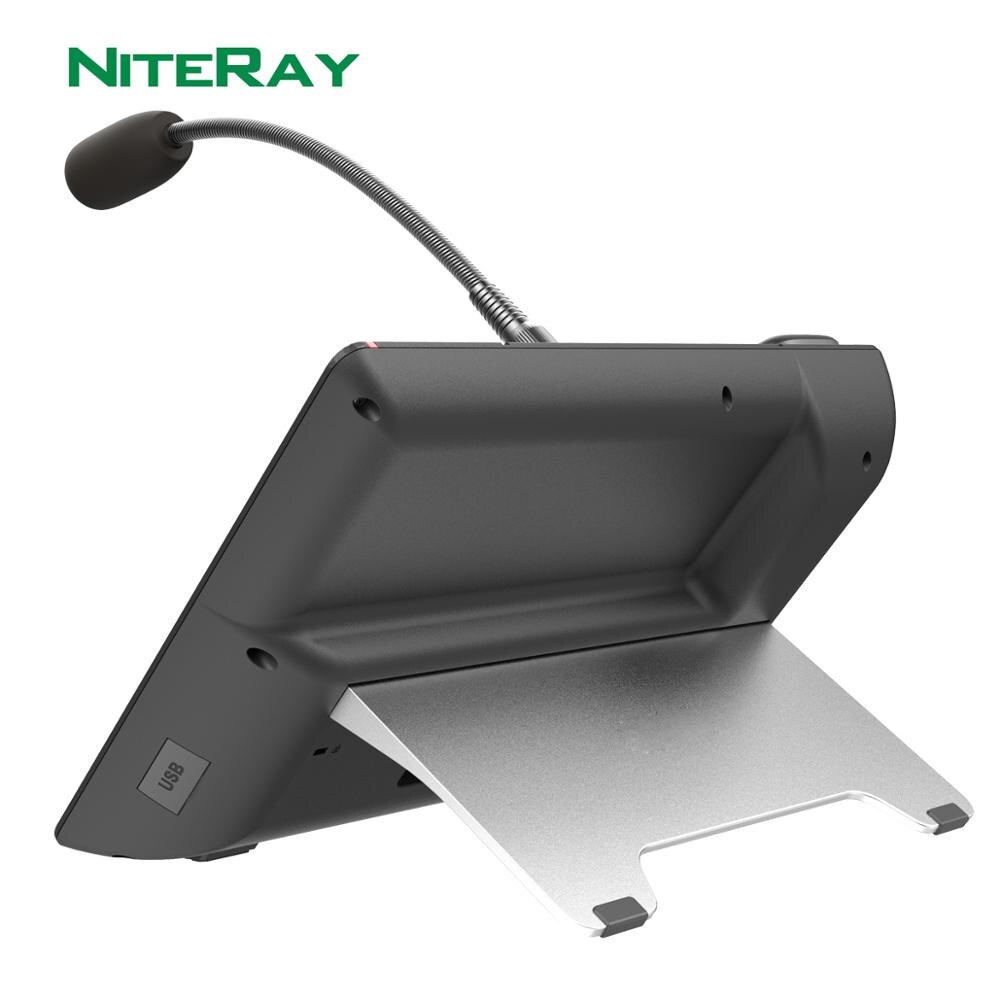
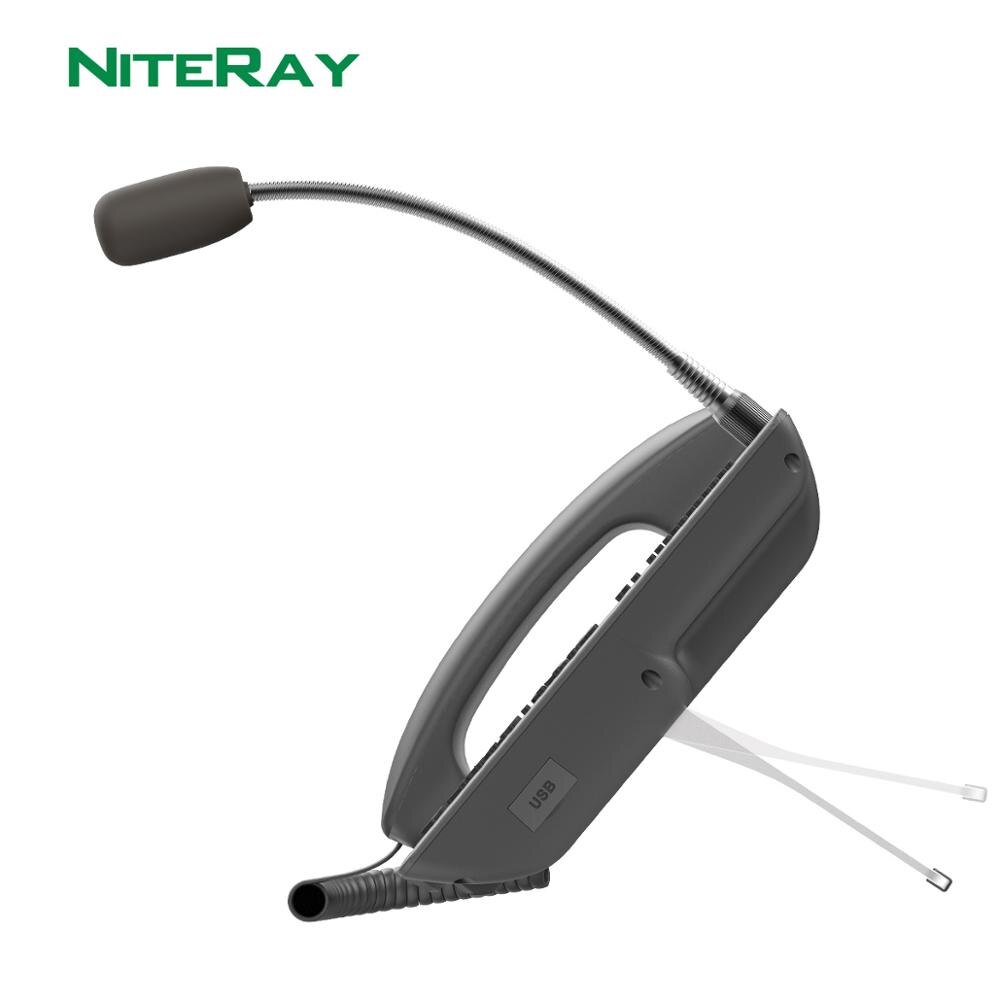
  • Mount with 2 adjustable angles of 40 and 50 degrees
  • Compatible with major platforms: Asterisk, Broadsoft, 3CX, Metaswitch,Avaya's Elastix, etc.
H2e1ddaf67310449295740c0dcd3b672eb X210i-Display Console, phone with two side screens for up to 106 DSS keys

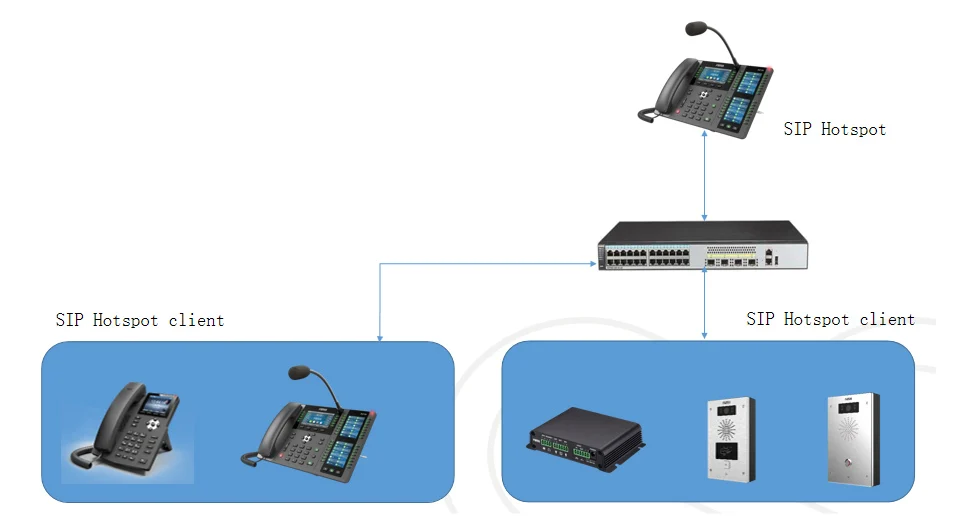
Feature 1: Serverless

Key points:
1 Serverless
No SIP server, no IP PBX
2. Small LAN Application
It only works on the same LAN subnet. The switch must support multicast/broadcast forwarding.
3. Multicast/Broadcast
SIP Hotspot uses multicast/broadcast packets for communication.
H400e4c928738450eace196327e51f598b X210i—Display Console, phone with two side screens supporting up to 106 DSS keys

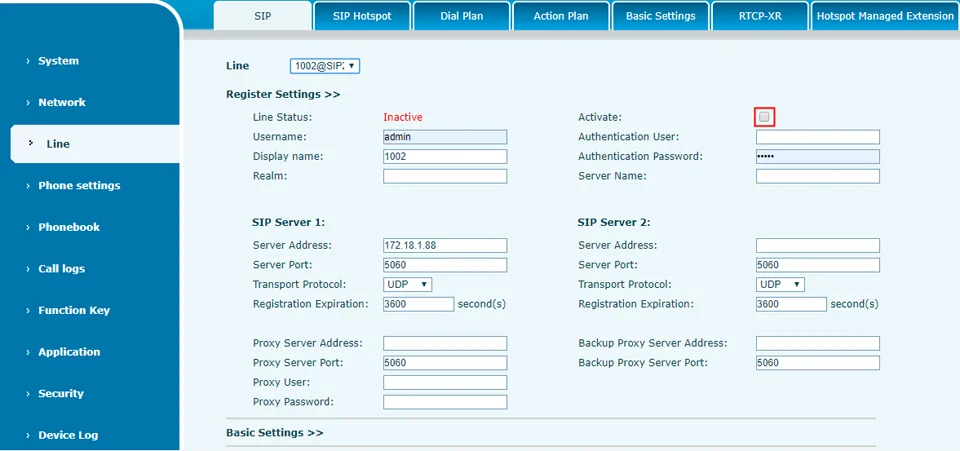
SIP Hotspot Configuration
Hc4eac8109a124687a12d4d88f90eca7bP X210i—Display console, phone with two side screens supporting up to 106 DSS keys
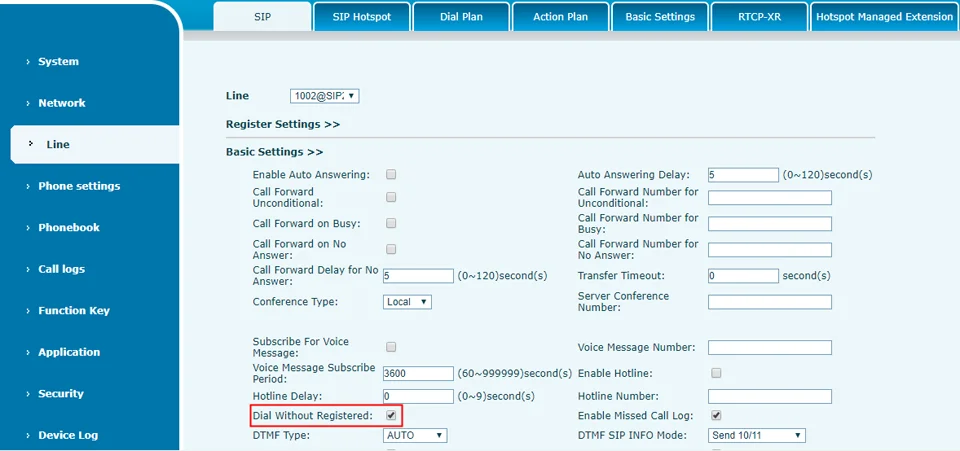
Set up a virtual SIP account to use as an access point, but do not activate it.
H3e863e8c81734dfdb26e85ff0b03c71fG X210i—Display Console, phone with two side screens supporting up to 106 DSS keys
Allows the virtual SIP account to make calls without registration
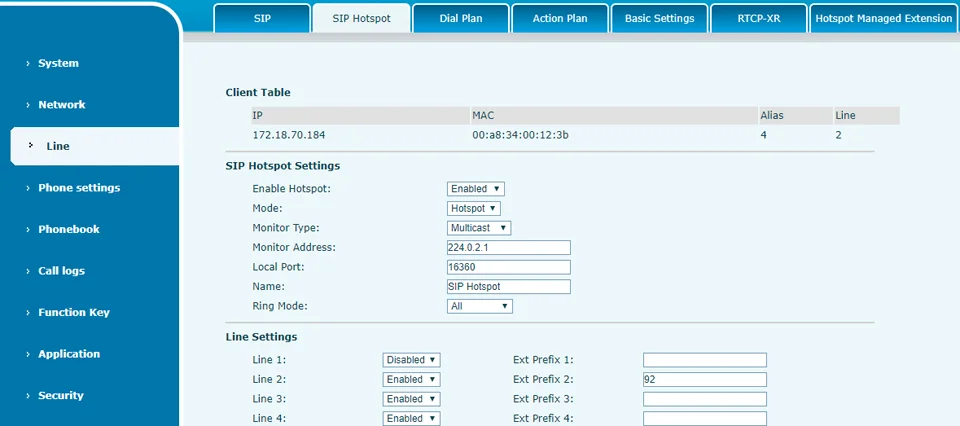
H43487039c1294f5397ced43b50d32d0cZ X210i-Display Console, phone with two side screens for up to 106 DSS keys
Enable SIP Access Point; parameters displayed in settings; mode: Access Point
Enable the SIP access point on Line2, with the extension prefix 92. The prefix can be defined by the customer.

Feature 2: Ring Group

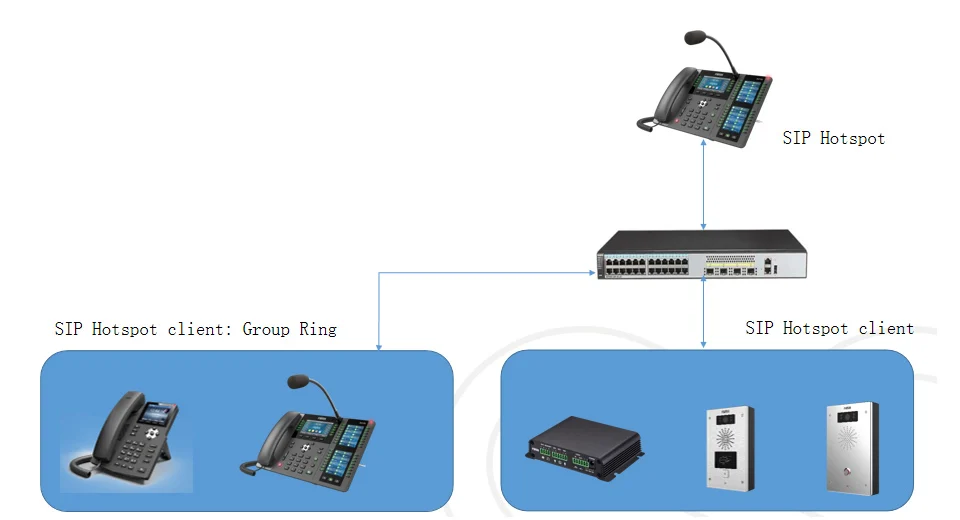
Ring group:
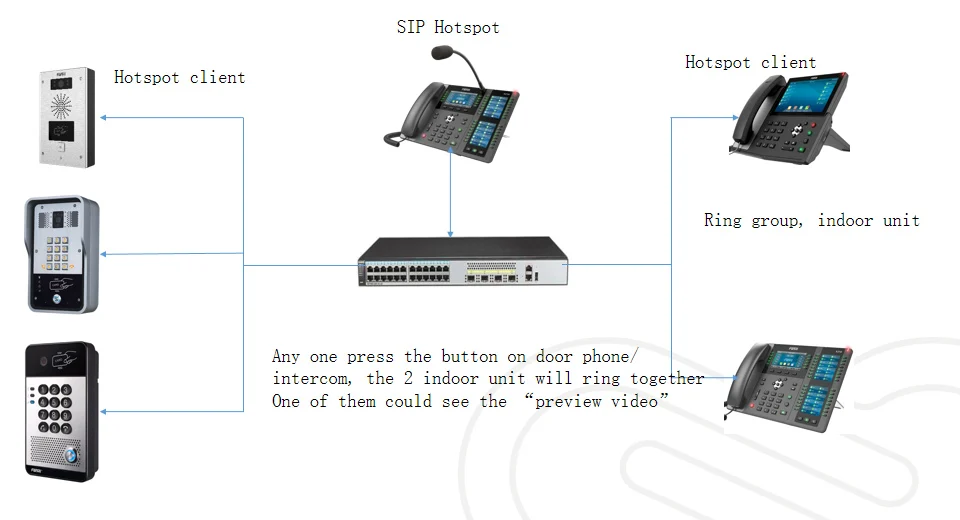
When someone comes to the intercom or doorphone and presses a button, a group of IP phones will ring; one of them answers the call, the others stop ringing, and the person who answered the call speaks with the visitor.
H61ff1dbb0f4942d8b4071819ec5c3f61g X210i—Display console, phone with two side screens for up to 106 DSS keys

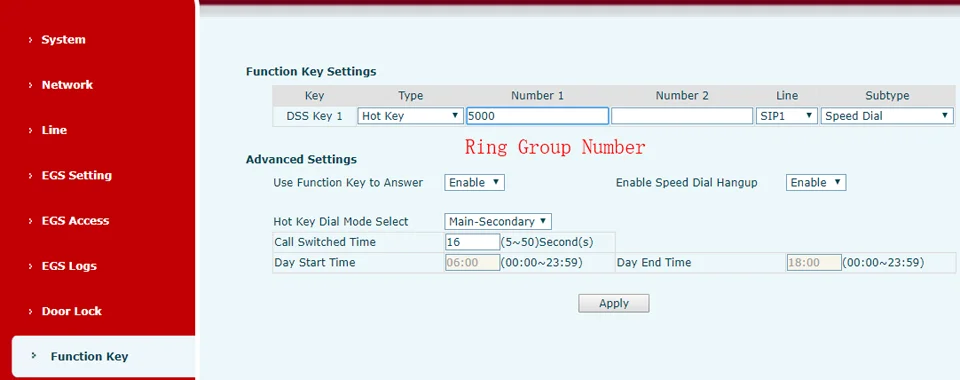
Set up the door phone to call the group number
H1f7ee8721cd24f7a99c0ca4b4f2a302dq X210i—Display console, phone with two side screens for up to 106 DSS keys
When the visitor presses the button, the members of the ring group will ring together; one member will answer, and the others will stop ringing.

Feature 3: Group pagination

Calling group:
The person at the paging console can press a button or speak into the headset or the speakerphone’s microphone, and the device in the paging group will hear the sender without having to answer calls. Assign different buttons to different paging groups, so that when you want to create a group, simply press the specific button.
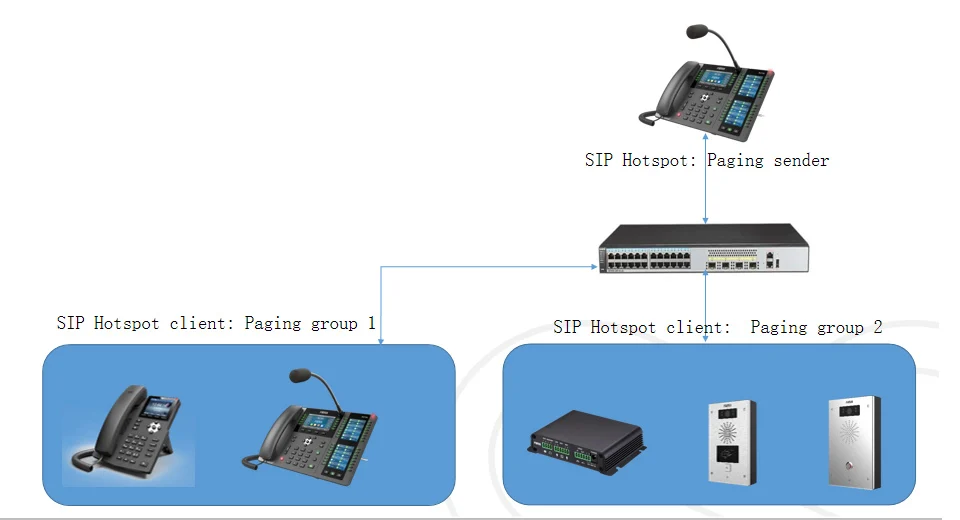
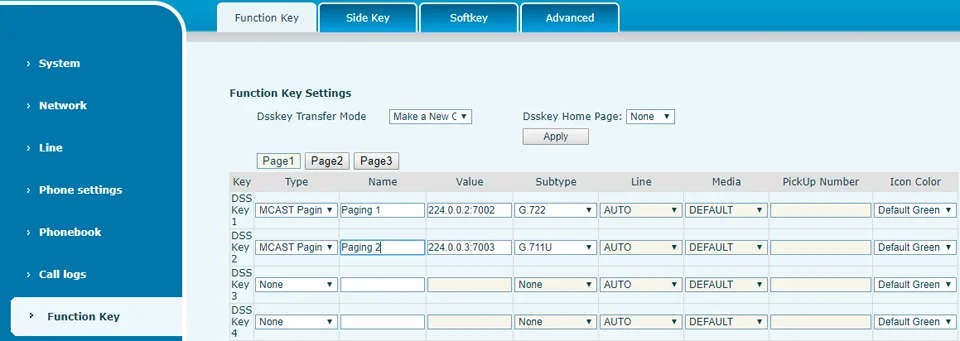
H62d17558a5e9462dae9ca406cd683d65q X210i—Display console, phone with two side screens for up to 106 DSS keys

SIP Access Point: Paging Group
Calling the configuration sender
H85ef2854d0684ab6a3593f1c819f0f7cB X210i—Display console, phone with two side screens supporting up to 106 DSS keys
The DSS 1 key would be a page for group 1, and the DSS 2 key would be a page for group 2. The user presses the key and speaks into the
Headset: The group members wearing headsets will hear the announcement.

Feature 4: Video Preview

Video preview:
When someone comes to the intercom/doorphone and presses a button, the indoor IP phone will ring; before answering the call, the user inside can view the video feed from the doorphone's camera and decide whether to answer the call
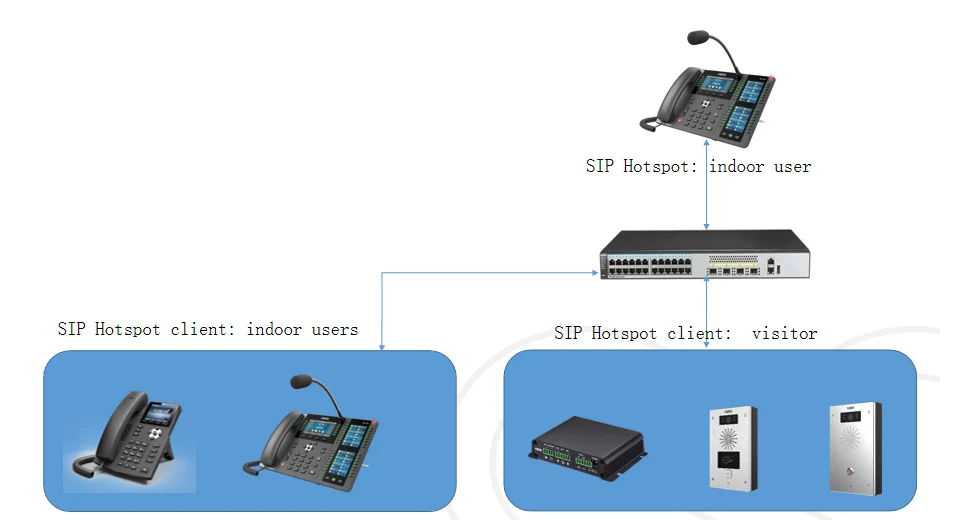
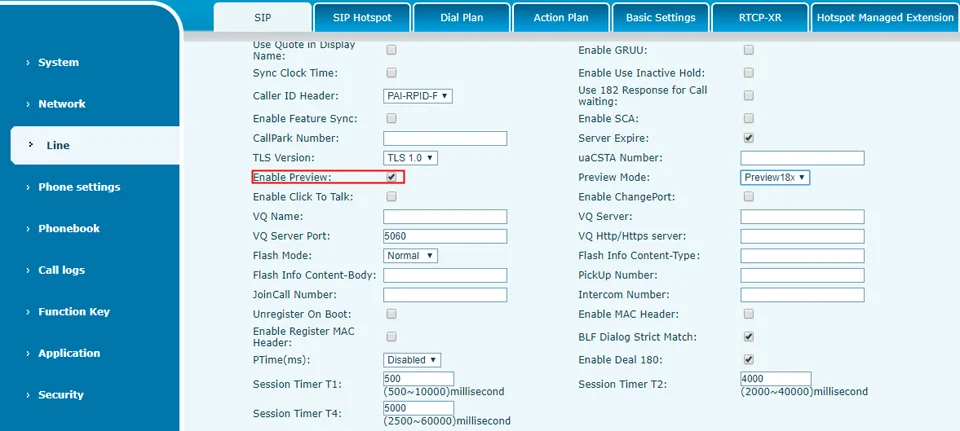
H7b97e5e672d542c7a16487e10a3e66d60 X210i—Display console, phone with two side screens for up to 106 DSS keys

SIP Access Point: Video Preview
The following models support video preview (Video Viewer): X210i, X210, X7, X7C, X6
Models compatible with Video Preview (video transmitter): i10V, i16V, i18S, i30, i31S, i32V, i33V, PA2 + PA2 camera kit
H9ef30235a4954b90ad6977d7b1851418J X210i—Display Console, phone with two side screens for up to 106 DSS keys

SIP Hotspot5: Scenario

Hfb821380be5f48a8a55ceab78ebe23ack X210i—Display console, phone with two side screens supporting up to 106 DSS keys

SIP Access Point: Frequently Asked Questions

1. How many SIP Hotspot clients does the X210i support?
A: 100 customers in total.
2. Can the SIP access point operate on different subnets?
A: No, the SIP access point uses IP multicast/broadcast, so it only works on the same LAN subnet.
3. Why could only one person in the group view the preview video?
A: A SIP call operates in peer-to-peer mode. Therefore, only the caller can send a single transmission to the callee who answered the call first.
Additional information

Weight 21 kg
Dimensions 18 cm
Origin

CN (Source)

Model Number

X210i

Type

Paging Console Phone

Lines

20 SIP Lines

Display

4.3" Main Color Display

DSS keys

Up to 106

3-way conference

Support

Video call

Support

POE

Support

Bluetooth

Support

Wi-Fi connectivity

Via Wi-Fi dongle

Platforms

Asterisk, Broadsoft, 3CX, Metaswitch, Elastix, Avaya, etc.

Reviews

There are no reviews yet.

Be the first to review “X210i-Consola de visualización, teléfono con dos pantallas laterales para hasta 106 teclas DSS”
Do you already have an active service?Check the step-by-step manuals and guides for your PBX, Retail, CallShop, Reseller, and PIN cards in the Support Center.
View Support Center →